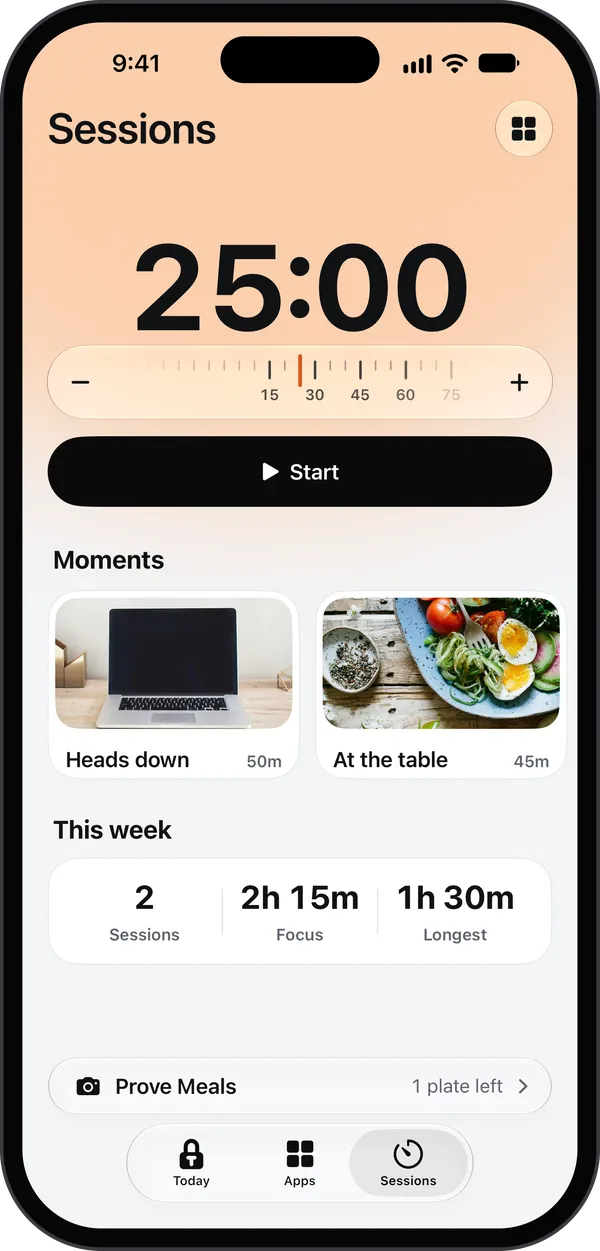
Locks your apps until you do your habit.

Toll locks the apps you scroll too much. Prove your habit with the camera (a workout, your desk, a book, a walk) and they open again. Most screen time limits have an ignore button. Toll doesn't.

  • iPhone
  • iOS 26.1 or later
  • 7 days free, then $29.99 a year
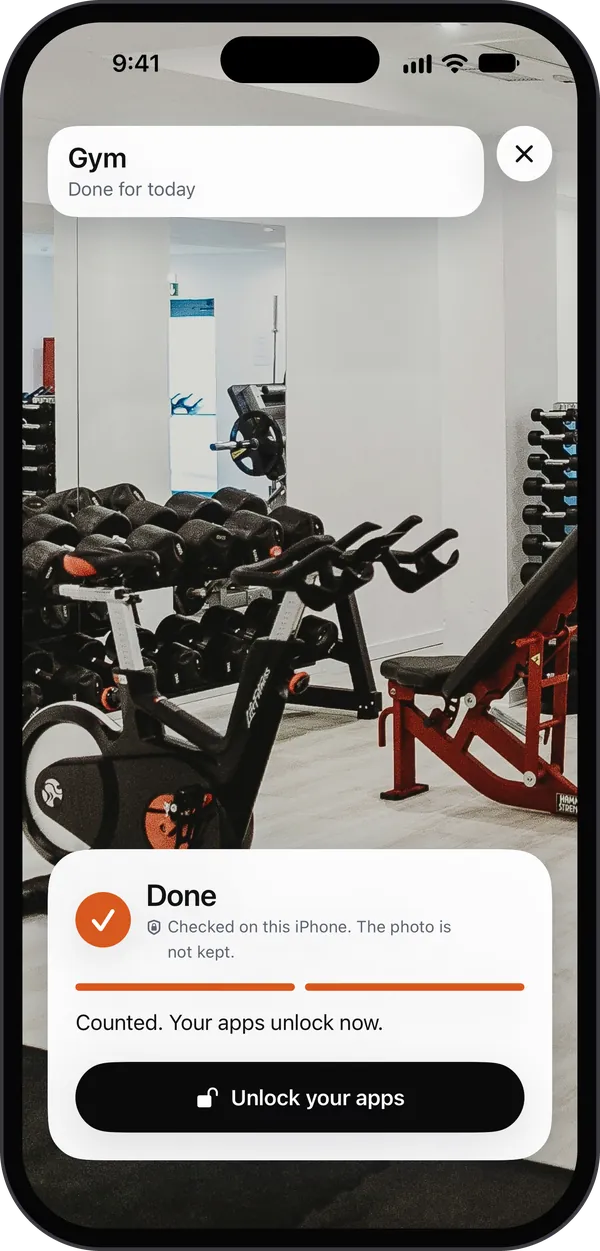
Toll's camera in a gym: a photo of dumbbell racks, a spin bike and a weight bench, marked Done and checked on this iPhone, the photo not kept. Counted. Your apps unlock now. A black button: Unlock your apps.
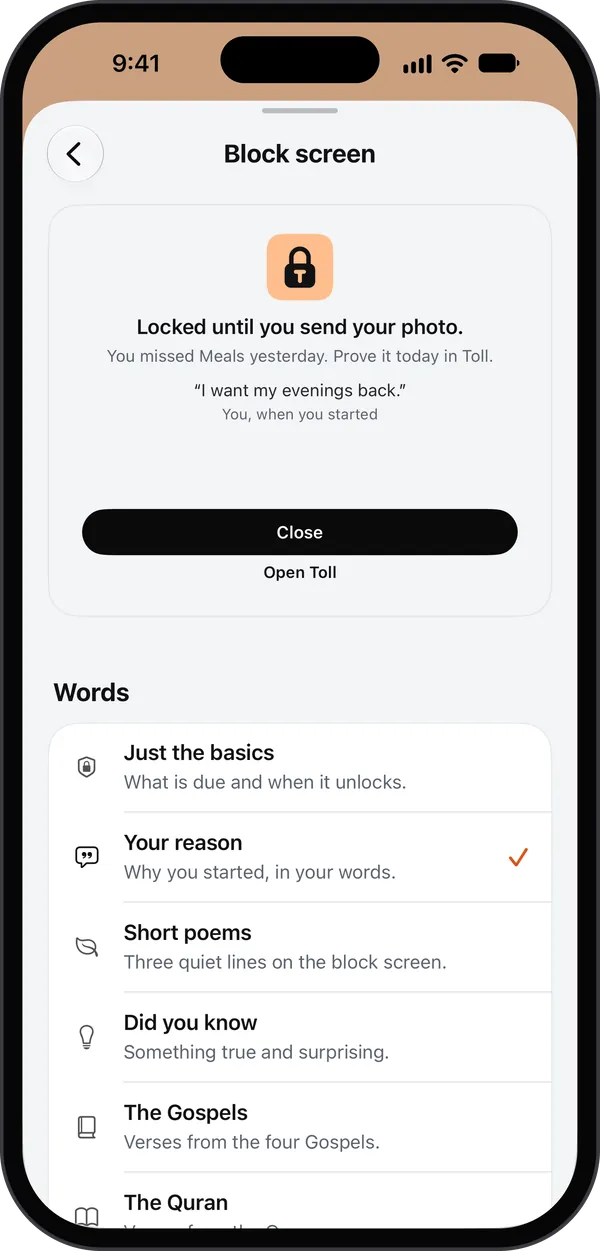
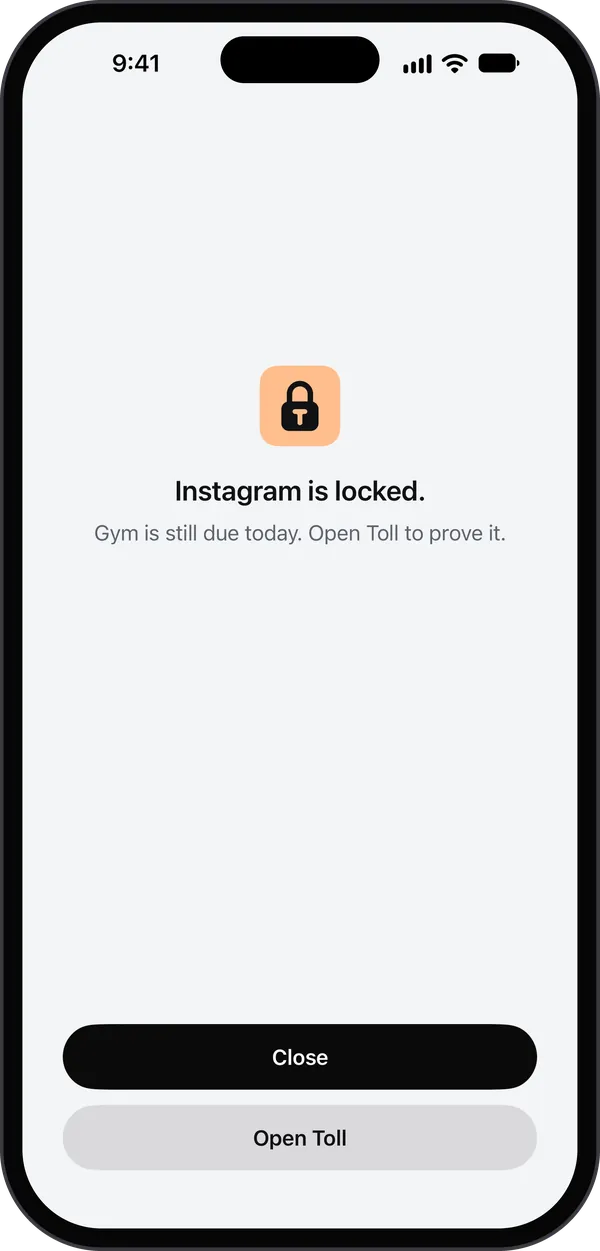
Toll's block screen over a locked app: the Toll lock, Instagram is locked. Gym is still due today. Open Toll to prove it. Two buttons: Close and Open Toll.

No ignore button. Prove it instead.

The usual screen time limit is one tap away from "ignore for today". Toll's block screen has two buttons: Close, and Open Toll to prove your habit.

  • No snooze, no "five more minutes", no limit you can tap past.
  • Prove today's habit and your apps unlock for the rest of the day. Schedules, daily limits and focus sessions you set still apply.
  • Live camera only. Checked on your iPhone, never stored or uploaded.

Pick the apps. Pick the habit. Take the photo.

No honor system: do the habit, then show it to the camera.

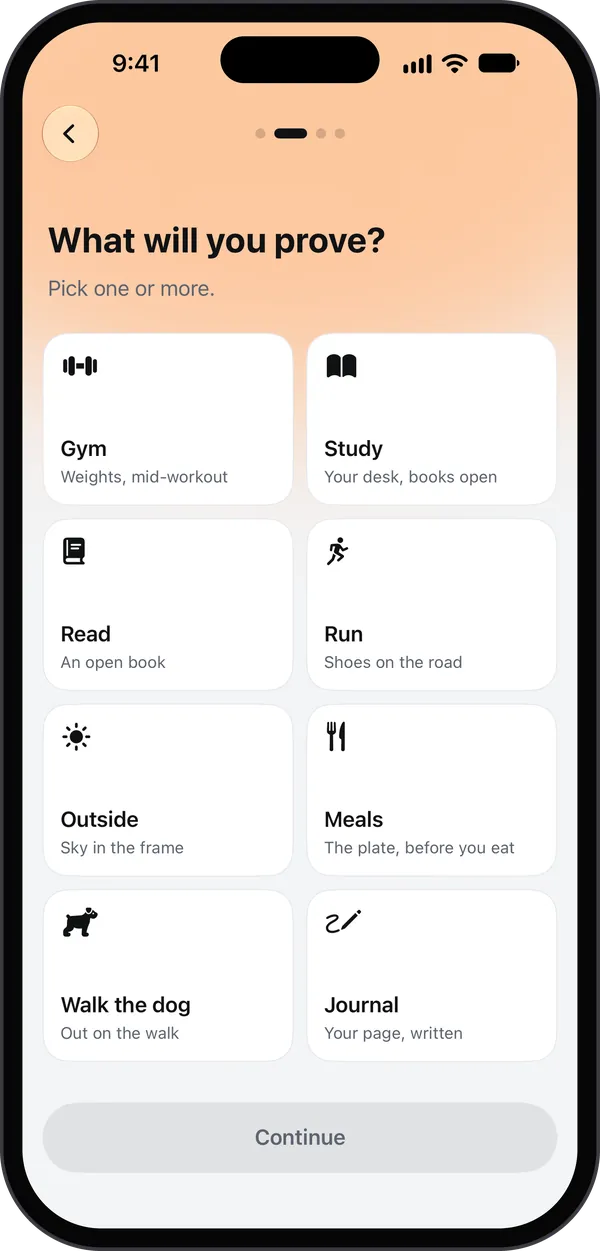
  1. What will you prove? Pick one or more: Gym, Study, Read, Run, Outside, Meals, Walk the dog and Journal, each with what its photo shows.

    Step 1: Pick the apps and the habit

    Toll locks the apps you pick with Apple's Screen Time; everything else stays open. Then pick the habit, from the gym to a walk with the dog.

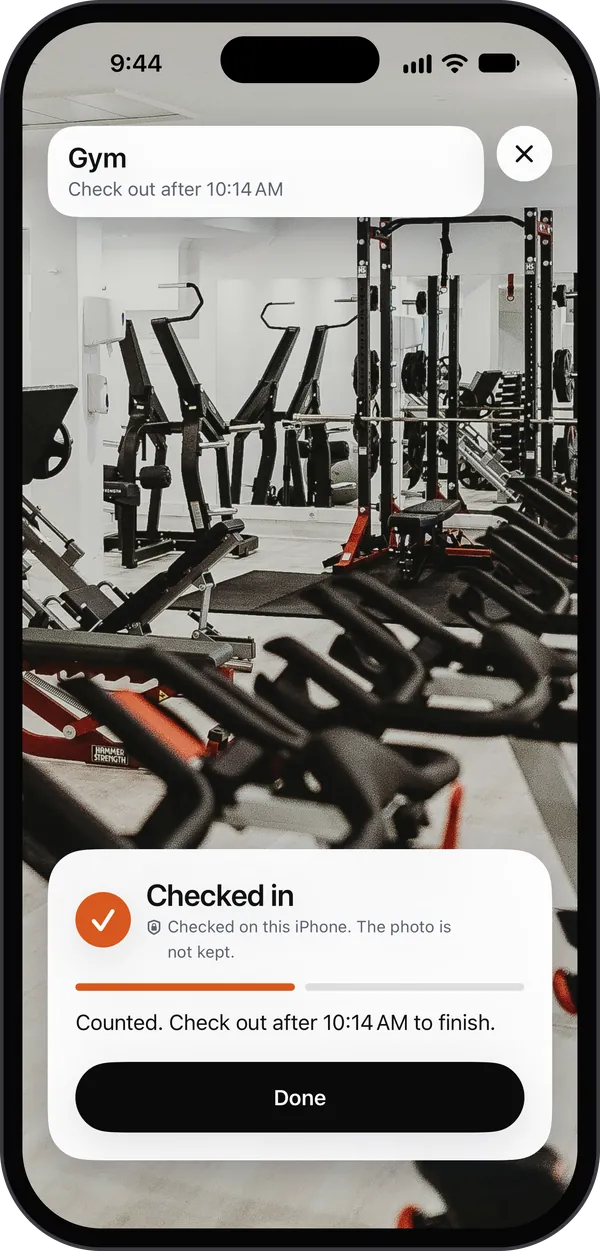
  2. Toll's camera in the same gym: a photo of a power rack over a row of spin bikes, Checked in, checked on this iPhone, the photo not kept. Counted. Check out after 10:14 AM to finish.

    Step 2: Take the photo

    With Toll's camera, by midnight. Your iPhone checks it and Toll never keeps it. The gym takes a check-in and a check-out, at least 30 minutes apart.

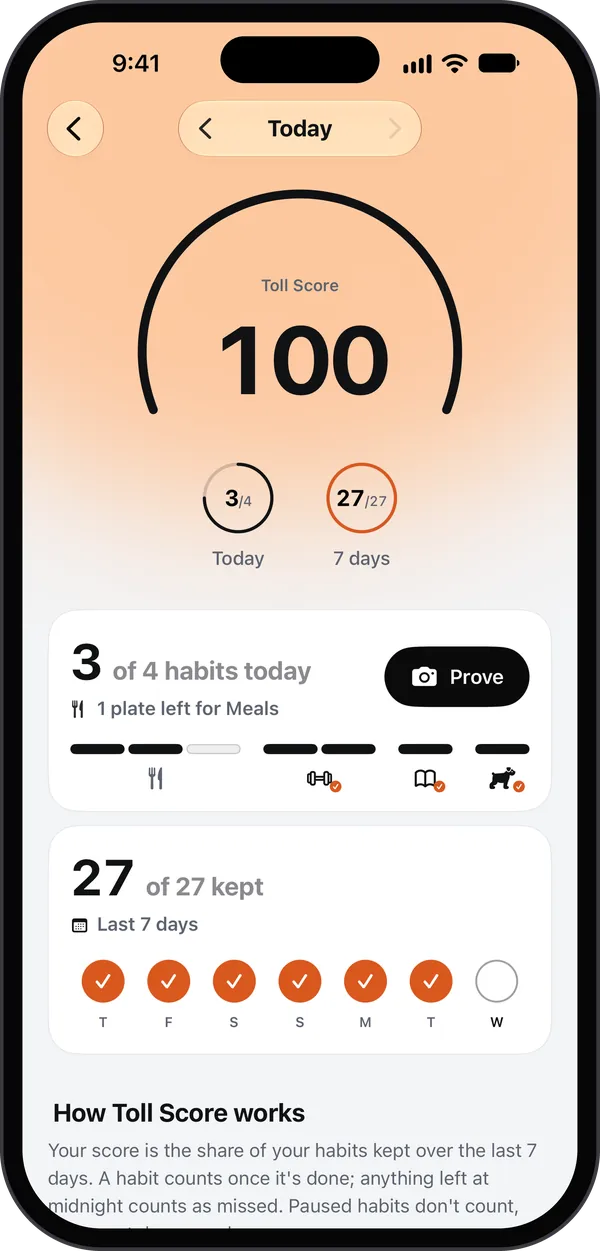
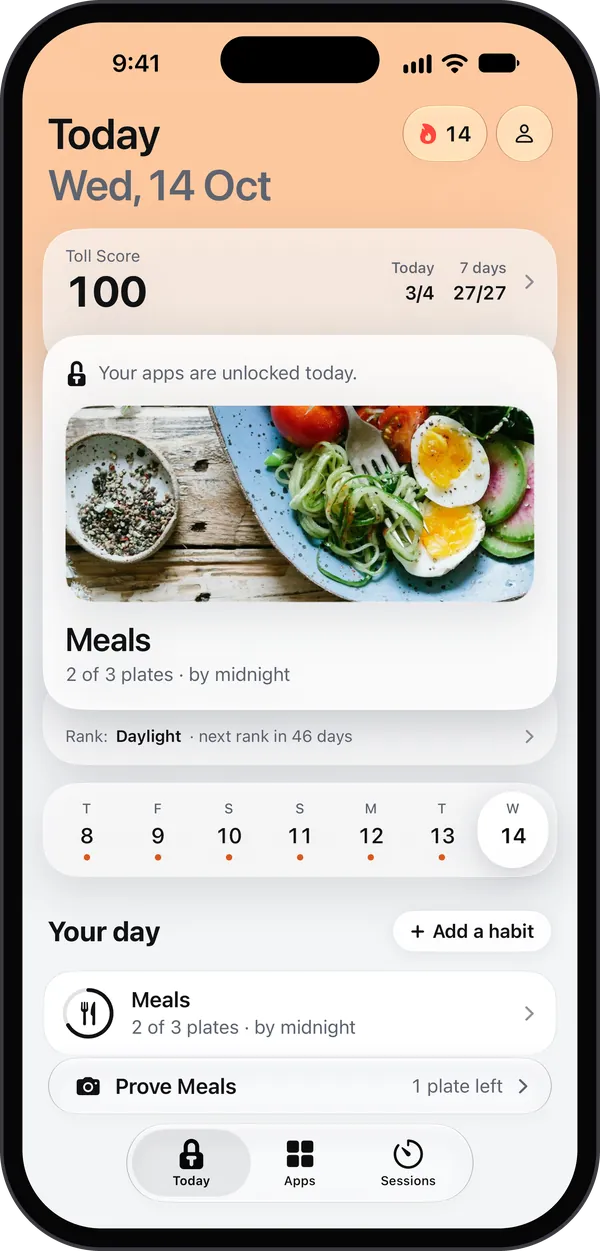
  3. Toll's Today page: a 14-day streak, a score of 100, Your apps are unlocked today, a photo of Meals at 2 of 3 plates by midnight, the week strip with every day kept, and Prove Meals in the bar at the bottom.

    Step 3: Your apps stay unlocked

    Once today's habit is proved, they stay unlocked for the rest of the day and your streak grows by one. Schedules, daily limits and sessions you set still apply.

Miss a day, and the next one starts locked.

Until you prove the habit. While your apps are locked you can't talk your way out: removing apps or making a habit easier waits until midnight. Or lock them every morning until that day's proof.

  • You pick the apps

    Everything else stays open: calls, Messages, your work apps. An Always open list keeps any app open, even inside a category you locked.

  • 2

    Rest days a month

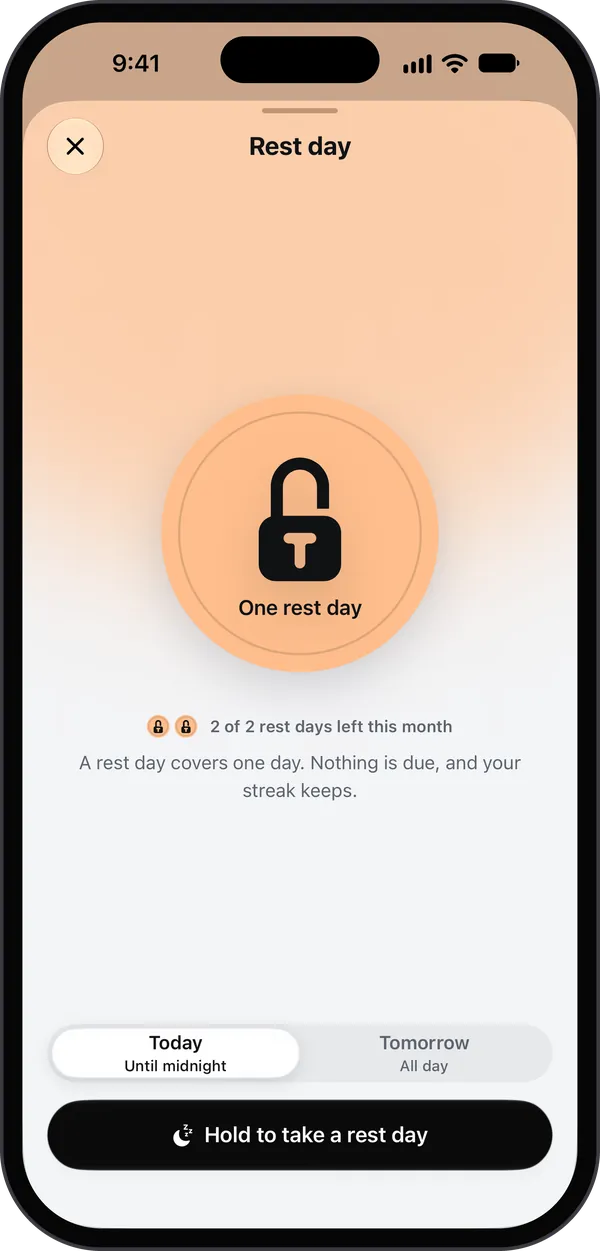
    A rest day covers today or tomorrow. Nothing is due, and the streak keeps.

  • 2

    Short breaks a day

    5 to 15 minutes each, at least an hour apart.

  • Delete Toll, and every lock lifts

    Or turn off its Screen Time access. The one exception is Strict mode, if you turn it on yourself.

The rest day sheet in Toll: One rest day, 2 of 2 rest days left this month. A rest day covers one day. Nothing is due, and your streak keeps. Today until midnight or Tomorrow all day, and Hold to take a rest day.

Why I built it

I kept skipping the gym and struggled to stick to eating well, so I built Toll for myself first.

Charbel, the developer

Strict when you want it. Calm when you don't.

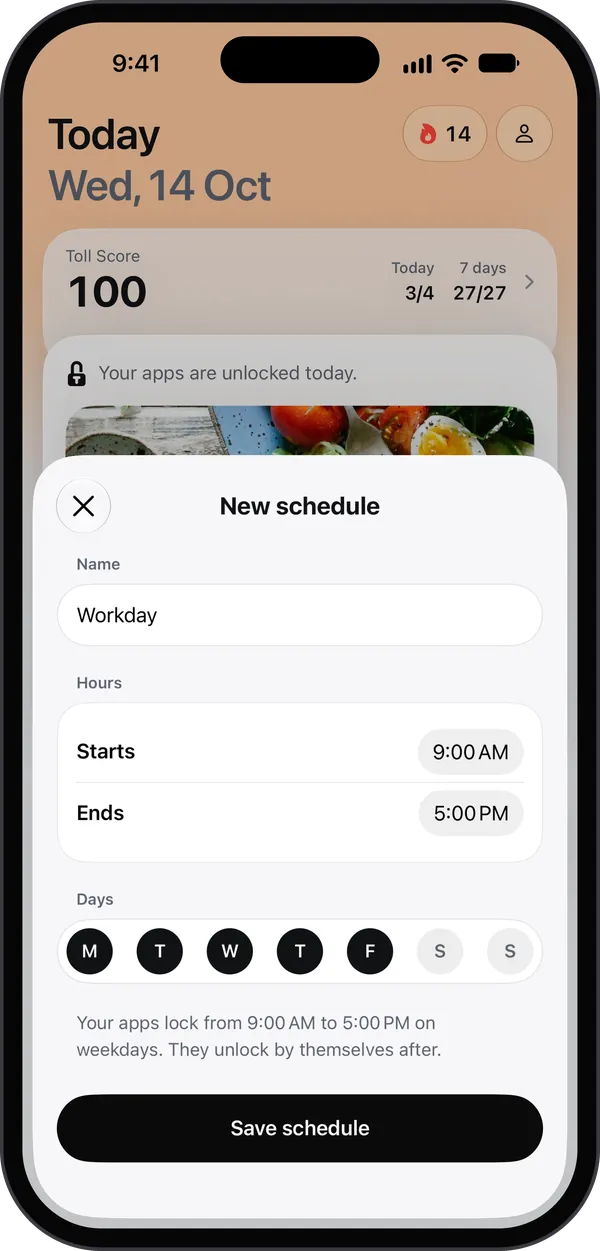
Schedules, limits and sessions that lock apps by themselves, and a score that shows how you're doing.

PIN lock

A PIN only before something that loosens your rules. Never to prove a habit, and a forgotten PIN lifts after 24 hours.

Off until you turn it on.

Strict mode

While your apps are locked, iOS blocks deleting Toll and your apps, keeps the date and time automatic, and sessions run to the end. It ends the moment your apps unlock.

Off until you turn it on.

Website protection

Adult websites filtered all the time, and every website blocked while your apps are locked. Toll never learns which sites you visit.

One plan, all of it. 7 days free on the yearly plan.

Toll Pro is all of Toll. Pick a plan in Toll, after four short screens.

Toll Pro

  • Every habit, your own included
  • Schedules and time limits
  • Strict mode and the PIN lock
  • Locked every morning, if you choose
  • Website protection
  • Focus sessions, rest days, short breaks and the score
  • Every block screen, the Gospels and the Quran too

No account and no ads. Photos are never kept.

Plans

Yearly7 days free

$29.99 a year

After the free week. About $2.49 a month.
Monthly

$5.99 a month

No free week.
Lifetime

$79.99 once

Pay once. No subscription.

US prices; the App Store shows yours. One free week per Apple Account, on the yearly plan, with a reminder 2 days before the first charge. When Toll Pro ends, your Pro rules pause (up to 3 days later if your iPhone is offline) and your habits are kept until it's back. Nothing is deleted. On the free plan from before version 1.2? You keep it, with its one habit.

Private by design. Nothing to sign up for.

Toll has no account and no server of its own. What it keeps stays with you.

Photos never leave your iPhone

Each photo is checked on your iPhone, then discarded. Never stored, never uploaded.

No account, no login

Your habits and records live on your iPhone and in your own iCloud, so they follow you to a new phone.

No ads, no trackers

Only anonymous usage counts, never who you are. Toll does not track you and does not sell anything.

What Toll never does

  • Hides your apps. It locks them; they stay on your Home Screen.
  • Asks for the PIN to prove a habit or to open Toll.
  • Sends a notification you cannot turn off.
  • Keeps a lock once Toll is deleted.

The details are in the privacy policy.

The Toll app icon: a black padlock whose keyhole is a T, on a peach tile.

Out now on the App Store. Start with 7 days free.

  • iPhone
  • iOS 26.1 or later
  • 7 days free on the yearly plan